
Power BI Retail Analytics: A Guide for Queensland Stores
Queensland retailers are using Power BI retail analytics to track sales, foot traffic, and inventory across multiple stores in real time.
If you run a retail business in Queensland, chances are you're making stock decisions based on last month's figures and a healthy dose of gut feel. Sound familiar? Power BI retail analytics changes that picture. It connects your sales data, inventory systems, and customer information into one live dashboard. You get a clear view of what's happening in your business right now. For Queensland retailers managing one store or twenty, that kind of real-time clarity is a genuine edge.
What Your Sales Data Is Really Telling You
Most retailers collect far more data than they realise. Your point-of-sale system knows which products are moving. Your e-commerce platform tracks online orders and abandoned carts. Your loyalty programme captures repeat purchase behaviour. The problem isn't a lack of data. It's that all of it lives in separate systems with no easy way to bring it together and read it as a whole.
Power BI pulls data from those separate sources into a single connected view. You can slice your sales by store, product category, day of week, or time of day. If your Newstead location consistently outperforms Chermside on Saturday mornings, you'll see it clearly. From there, you can investigate why and act on it quickly.
This is what makes Power BI retail analytics so valuable for growing Queensland businesses. Our work in retail analytics across South East Queensland consistently turns up surprises for business owners. It might be a top-selling product that's slowly losing margin. It might be a store that looks busy but has a weak conversion rate. The data knows. You just need the right tool to read it.
Foot Traffic, Inventory and the Numbers That Drive Profit
Foot traffic data is one of the most underused assets in retail. Most retailers track how many transactions they processed. Far fewer know their conversion rate, meaning how many people walked in versus how many actually bought something. Connect your foot traffic counters to Power BI and you can see exactly that, broken down by day, hour, and location.
Inventory is another area where Power BI retail analytics earns its keep fast. You can build alerts for when stock on your best-selling lines drops below a set level. You can identify which products are taking up warehouse space but rarely moving. You can track shrinkage by location and catch it early rather than discovering it at the annual stocktake.
The financial impact is concrete. Less capital sitting in slow-moving stock. Fewer missed sales because a popular line ran out over a long weekend. A clearer picture of where your margin is actually going. For a Queensland retailer turning over a few million dollars annually, these aren't small wins.
- Real-time sales by store, product category, and individual product
- Foot traffic volume and in-store conversion rates
- Stock levels, replenishment alerts, and shrinkage tracking by location
- Staff performance and transaction data broken down by shift
- Customer return rates and average transaction value
Comparing Multiple Stores Without the Spreadsheet Pain
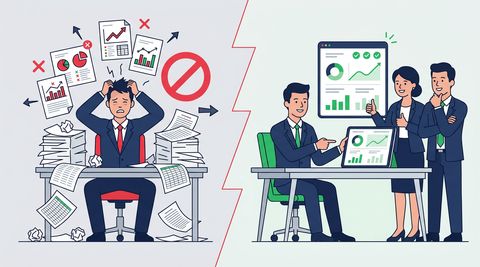
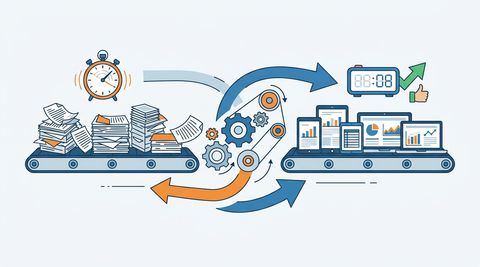
Running a multi-site retail business in Queensland often means the same painful weekly ritual. You pull reports from each location, paste them into a spreadsheet, and spend half a day formatting and cross-referencing. By the time you're done, the numbers are already old. It only gets harder as you open more stores.
Power BI retail analytics replaces that process entirely. You open a single dashboard on your laptop or phone and see all your locations at once. Your Brisbane CBD, Carindale, and Sunshine Coast stores sit side by side. You can compare revenue, gross margin, average basket size, and returns in seconds. If one store starts drifting off target, you'll catch it days before it would show up in your usual reports.
The time saving is usually what convinces multi-store operators to make the switch. But the bigger return is what it does to your decision making. When you can see the full picture clearly and quickly, you start asking smarter questions. You notice patterns earlier and act on them before they become problems.
Where to Start Without the Overwhelm
A lot of retailers put this kind of project off because they assume it's a big IT undertaking with a big price tag. It's usually neither. You don't need to replace your existing systems. You need someone to connect the data you already have and build dashboards that answer the questions your team is already asking.
At Roar Data, our dashboard development Brisbane team works with retailers across South East Queensland to design Power BI solutions that fit the way retail actually operates. We start with a focused discovery session to map out the data sources you already have, then build something genuinely useful quickly.
Whether you have one store in West End or ten spread across South East Queensland, Power BI gives you the visibility to make decisions based on facts rather than guesswork. If you're ready to find out what your data can actually tell you, get in touch with Roar Data. We'll have a straight conversation about where to start.
Does this sound familiar?
If your reporting has these same friction points, talk through what should change first.
More insights
Retail Reporting Cairns: Margin by Store, Product, Week
See how Cairns retailers can replace spreadsheet chaos with retail reporting that shows margin by store, product and week, season by season.
Turning FMCG Sales Data Into Decisions You Can Act On
FMCG teams in Brisbane are still reconciling distributor, POS and ERP data by hand. Here's how data analytics for fast moving consumer goods fixes that.
Power BI Dashboards for FMCG Companies in Queensland
Running an FMCG business in Queensland means navigating a complex world of sales, stock, and supply. Discover how effective Power BI FMCG reporting can transform your data into clear, actionable insights.
Related services
Power BI Training Brisbane
Practical Power BI training for Brisbane teams that need reports to be maintainable, commercially useful, and easier to run day to day.
Explore servicePower BI Dashboard Development Brisbane
Dashboard development for Brisbane businesses that need clearer management reporting, stronger KPI accountability, and less spreadsheet rework.
Explore servicePower BI Consulting
Roar Data helps Australian organisations eliminate spreadsheet reporting, unify fragmented systems and deliver real-time executive, financial and operational dashboards using Microsoft Power BI.
Explore serviceGet a practical view of what your reporting should look like
If the issues in this article sound familiar, we can review your current reporting environment and show where the friction is coming from.